For artists and music directors
Leer en españolSpend rehearsal on the music, not on rebuilding the set.
When the setlist changes, the Ableton set has to change with it. Plan2Live builds it from the running order and your own stems: every song in order, with its own tempo and time signature, ready to rehearse.
Mac only (macOS 14.6 or later, Apple Silicon or Intel) · Ableton Live Standard or Suite
How it works
Set the running order
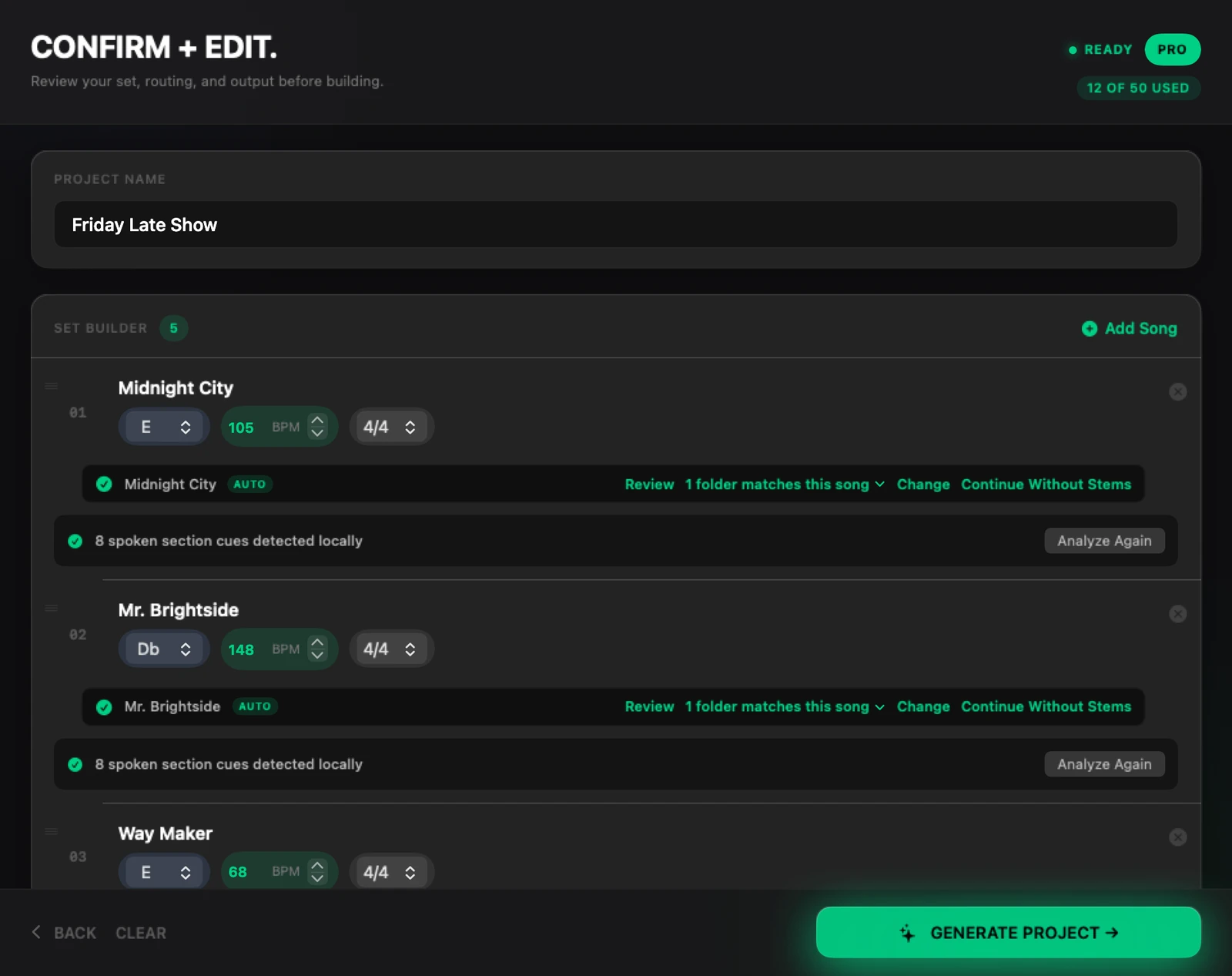
Type the songs in show order, with each song's key, tempo and time signature. If your team plans in Planning Center, you can import from it instead.
Point at the stems
Choose the folders on your Mac where the show's stems live: one folder per song, named after the song. If the app isn't sure which folder belongs to a song, it asks you.
Build, check, rehearse
Click Generate, open the set in Ableton Live and check it. Order changed? Change it in Plan2Live and build a new set.
What's in the set
- The songs in running order, in Arrangement View, each with its own tempo and time signature (4/4, 3/4 or 6/8).
- The stems on the set's tracks, song after song.
- Click and guide stems on the set's Click and Guide tracks. The built-in template doesn't make a click, so bring a click stem.
- Section markers named from the spoken cues on your guide track (English, Spanish or Portuguese; tested on Apple Silicon Macs). Without spoken cues, the markers are numbered or placeholders, and you can rename them in Live.
What it doesn't do
- It runs on a Mac only.
- It builds in Arrangement View, not Session View.
- It doesn't add timecode, show-control MIDI or lyrics.
- It doesn't play or run the show. You run the set in Ableton Live.
- It doesn't supply stems. You bring your own.
- It needs Ableton Live Standard or Suite. Intro and Lite allow too few tracks for the built-in template.
Your own template (beta)
Have a rig of your own? Custom Templates (beta) builds the set into your own Ableton Live 12 template, in Arrangement View. It has been tested on a limited set of rigs so far, so test it with your rig well before a show. It's open on every plan in the beta.
What it costs
- Try 2 full builds free, no card, no time limit.
- Plus and Pro come with Guide analysis (section markers from your Guide's spoken cues), tempo automation (each song's tempo and time signature in the set), stem transpose (stems moved to the song's key) and stem auto-wire (every stem on its own track). Your free builds get every one of them too.
- Plus: 20 builds a month for $69 a year or $7/mo. Pro: 50 builds a month for $129 a year or $16/mo, and Project History keeps every set you've built, ready to reopen.
Questions
Can I rebuild when the setlist changes?
Yes. Change the songs or their order in Plan2Live and build again.
Does it do timecode, MIDI cues or lyrics?
No. Plan2Live builds the Ableton Live set: the songs, the stems, each song's tempo and time signature, and section markers. Show control stays with the tools you use now.
What do the section markers say?
If your guide track has spoken cues, like "verse" or "chorus", in English, Spanish or Portuguese, the markers are named after them. This has been tested on Apple Silicon Macs. Without cues, they are numbered or placeholders you can rename in Live.
What do I need?
A Mac with macOS 14.6 or later, Ableton Live Standard or Suite, and the stems in one folder per song.
Build the next show's set
Download Plan2Live for Mac. Your first 2 builds are free, and no card is needed.